

Author: Viktor
Pitch Deck & Fundraising Consultant. Ex Advertising. Founder of Viktori. $500mill In Funding. Bald Since 2010.
The 12 Slide CRM OZKAR Pitch Deck Template
Slide 1 – Elevator Pitch
Headline:
“Reinventing CRM for a world where customer attention is scarce.”
Sub-points (max 3 bullets):
Problem: 70% of businesses invest in CRMs, yet adoption rates remain below 40%.
Solution: A next-generation CRM designed for adoption first, powered by AI-driven insights.
Outcome: Sales teams close more deals, managers gain visibility, customers stay loyal.
Design Tip: Use a strong visual metaphor (cluttered desk vs. clean dashboard) to show chaos → clarity.
Slide 2 – Investor Highlights
Title: Why We Win
Suggested Content (generic, replaceable placeholders):
$XXM ARR in just 18 months.
XX% MoM growth in paying users.
Market: $50B+ CRM industry, growing at XX% CAGR.
Team with prior exits and deep SaaS/CRM expertise.
50+ integrations with leading business tools (Slack, HubSpot, Salesforce, etc.).
Design Tip: Keep this clean, 4–6 “highlight boxes” with icons or numbers. Investors should get the “wow” in 10 seconds.
Slide 3 – The Problem (The Enemy)
Headline:
“The CRM everyone buys, but no one loves.”
Narrative Points:
CRMs are bloated, overly complex, and built for managers, not frontline users.
Sales reps spend 20–30% of their time on admin, not selling.
Low adoption leads to inaccurate forecasts, lost deals, and customer churn.
The gap: Businesses are drowning in data, but starving for actionable insights.
Design Tip: Visualize pain → show stats (bar graph: “CRM features used” → majority unused).
Slide 4 – Why Now (Urgency)
Headline:
“The shift from data collection to revenue intelligence is happening now.”
Narrative Points:
Digital transformation has accelerated post-pandemic—companies demand ROI from SaaS.
AI + automation create opportunity for smarter, leaner CRMs.
Customers expect personalized, real-time engagement.
The market is consolidating—new entrants with adoption-first focus can displace incumbents.
Design Tip: Timeline or “hockey stick” adoption curve, supported by market growth data (e.g., Gartner or McKinsey trends).
Slide 5 – The Solution (OZKAR CRM)
Headline:
“An adoption-first CRM built to drive revenue, not just store data.”
Core Solution Points:
Simple to use: Designed for sales reps, not IT departments.
Smart automation: AI reduces manual input, recommends next actions.
Seamless integration: Works with Slack, email, calendars, and major SaaS platforms.
Revenue focus: Dashboards built around deals closed, not just activity tracked.
Design Tip: Use a split-screen “Before / After” illustration. Left side = clunky CRM, Right side = clean, actionable dashboard.
Slide 6 – How It Works
Headline:
“Capture. Automate. Convert. Retain.”
Step Flow Example:
Capture leads automatically from email, web, and social.
Automate workflows: data entry, follow-ups, reminders.
Convert leads into paying customers with AI-driven nudges.
Retain customers with personalized engagement and churn alerts.
Design Tip: Infographic pipeline (Lead → Engagement → Conversion → Retention) with minimal text.
Slide 7 – Customer Benefits (Not Features)
Headline:
“Designed to create wins for every stakeholder.”
Key Benefits by Persona:
Sales Reps: Close more deals, fewer manual tasks, better focus.
Managers: Forecasts you can trust, full pipeline visibility.
Customers: Faster responses, personalized experiences, higher satisfaction.
Design Tip: Use a three-column visual: “Sales Reps / Managers / Customers” with icons and short impact statements.
Slide 8 – Market Opportunity
Headline:
“A $50B+ industry ready for disruption.”
Points:
Global CRM market: $50B+ in 202X, growing at XX% CAGR.
Mid-market and SMB segments are underserved by existing solutions.
Early adopter verticals: SaaS, professional services, and e-commerce.
Expansion potential: AI-driven revenue intelligence can create new categories.
Design Tip: TAM/SAM/SOM visualization — concentric circles or layered bar chart showing where the initial focus sits.
Slide 9 – Business Model
Headline:
“Recurring, scalable, and designed for expansion.”
Points:
SaaS subscription model (per user, per month).
Tiered pricing: Free → Growth → Enterprise.
Add-ons: AI insights, advanced integrations, premium analytics.
Revenue growth drivers: upsell/cross-sell to larger teams and enterprises.
Design Tip: Use a simple three-tier pricing ladder graphic to illustrate monetization clearly.
Slide 10 – Go-to-Market Strategy
Headline:
“Efficient and multi-channel growth engine.”
Acquisition Channels:
Inbound: Content marketing, webinars, SEO.
Outbound: Targeted sales to mid-market enterprises.
Partnerships: Channel resellers, ecosystem integrations.
Freemium conversion: Free tier → paid upgrades as adoption deepens.
Design Tip: Visualize as a funnel or flywheel: Awareness → Acquisition → Activation → Expansion.
Slide 11 – Traction / Roadmap
Headline:
“Strong early traction, clear path to scale.”
Traction (examples, customizable):
XX,000 users onboarded.
XX paying enterprise accounts.
Partnership with [well-known SaaS/tool].
Roadmap (12–24 months):
Q1–Q2: Advanced AI modules launch.
Q3: Expansion into Europe / Asia.
Q4: API ecosystem rollout.
Design Tip: Use a horizontal timeline with milestones clearly marked.
Slide 12 – Team & Vision (The Ask)
Headline:
“Backed by expertise, driven by vision.”
Team:
Founders with CRM/SaaS track records, prior exits or deep enterprise experience.
Advisors or early investors with credibility in SaaS/enterprise sales.
Vision:
“To make CRM invisible — an adoption-first revenue growth platform embedded into every workflow.”
The Ask:
Raising $X million to scale sales, expand product development, and accelerate growth.
Design Tip: Use founder photos + concise bios, followed by a big bold funding ask and vision statement at the bottom.
Need a customized pitch deck template?
1000s of individuals like you asked for a tailored version of this template to help them craft a better pitch deck. Get yours for just $44. As soon as I get your request, I’ll follow up with one question to confirm what exactly is that are you pitching. This will help me nail the content for you.
What you’ll get is a 3+ page editable word document that contains a fully fleshed out slide by slide deck content for your pitch.
Alternatively, book a call and you’ll brief me on the specifics of your pitch.
Book The Free 30 Min Call
5/5 Upwork Rating | 100% TrustPilot

Plan on building the pitch deck yourself?
Option 1: Do It Yourself
If you’ve done a few presentation in the past, then this is the option you should take. Follow these simple steps:
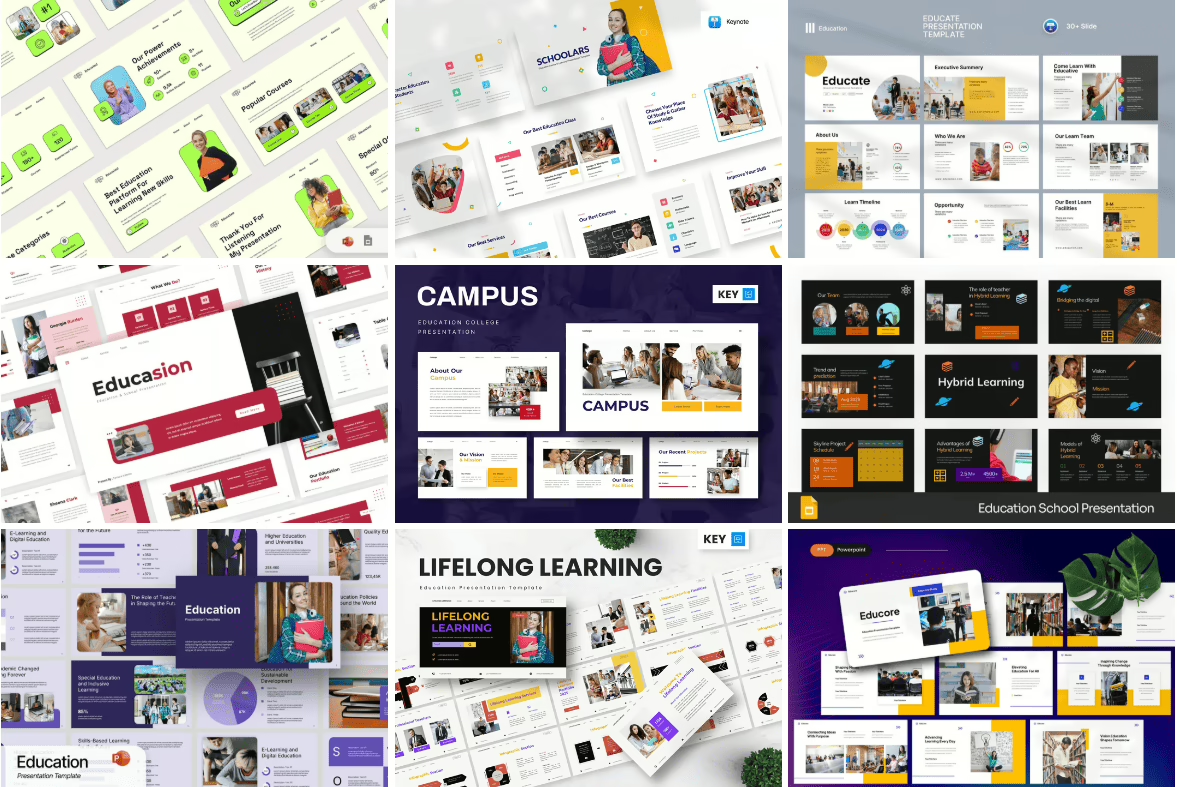
- Pick one of the premium Envato templates by clicking on the image below,
- Answer the slide by slide questions I listed in the section below the image
- Follow the pitch deck guide I linked out to, next to the questions,
And build your own deck. It’s as easy as that.
Key Questions to Ask Yourself And Write The CRM OZKAR Pitch Deck Slides
Slide 1 – Elevator Pitch
What core problem are we solving in CRM (what’s “the enemy”)?
Who is the target audience (SMBs, mid-market, enterprise, niche verticals)?
What is our one-line promise of value (outcome in the customer’s language)?
How is this different from existing solutions (simplicity, AI, adoption, cost)?
Slide 2 – Investor Highlights
What traction metrics can we confidently share (ARR, growth %, retention, CAC/LTV)?
Do we have notable customer logos or case studies?
What size is our market opportunity (TAM, SAM, SOM)?
What makes our team credible (exits, deep domain expertise, investors, advisors)?
Have we secured partnerships or integrations that validate demand?
Slide 3 – The Problem
What are the top frustrations users face with current CRMs?
What data points (market stats, adoption rates, wasted hours) prove this pain exists?
What emotional pain (stress, inefficiency, lost deals) do customers feel?
What happens if this problem remains unsolved (lost revenue, churn, high overhead)?
Slide 4 – Why Now
What market shifts make this the right moment (AI adoption, remote work, digital transformation)?
What trends are accelerating demand for better CRM (customer expectations, sales automation)?
What is the cost of delay for businesses who don’t act now?
What macro factors (CAGR growth, new regulations, tech adoption curves) support urgency?
Slide 5 – The Solution
What is our product’s core unique differentiator?
How does it make users’ lives easier (adoption-first, AI insights, seamless integration)?
What does the “before and after” look like for a customer?
Which 2–3 features directly drive revenue outcomes (not just admin work)?
Slide 6 – How It Works
How does the customer journey unfold with our CRM (lead → engagement → close → retention)?
What 3–4 core steps define our workflow?
What automation or AI makes us stand out?
How does it integrate into existing workflows (email, Slack, calendars)?
Slide 7 – Customer Benefits
What is the measurable benefit for sales reps (time saved, % more deals closed)?
What is the measurable benefit for managers (forecast accuracy, revenue predictability)?
What is the measurable benefit for customers (faster response, personalization)?
Can we showcase testimonials or specific outcomes?
Slide 8 – Market Opportunity
What is the TAM, SAM, and SOM for our market?
What segment are we targeting first (SMB, mid-market, enterprise, niche)?
How is this market underserved by current solutions?
What CAGR or industry growth rate supports scale potential?
Slide 9 – Business Model
What is our primary monetization model (SaaS subscription, freemium → paid tiers)?
What are our pricing tiers and typical contract sizes?
What are the upsell/cross-sell opportunities (AI add-ons, integrations, analytics)?
What is the average CAC and LTV for our customers?
Slide 10 – Go-to-Market Strategy
Who is our ICP (ideal customer profile)?
What are our primary acquisition channels (inbound, outbound, partnerships, freemium)?
What does our sales cycle look like (self-serve SMB vs. enterprise sales)?
What partnerships or integrations can accelerate adoption?
How do we plan to convert free users into paid accounts?
Slide 11 – Traction / Roadmap
What traction do we already have (user growth, ARR, churn, customer logos)?
What milestones have we achieved (product launches, partnerships, funding)?
What is our 12–24 month roadmap (features, market expansion, scaling)?
What KPIs will we track to show investors progress (ARR, churn, expansion revenue)?
Slide 12 – Team & Vision (The Ask)
Who are the key team members (founders, execs, advisors)?
What makes them credible in CRM, SaaS, or enterprise sales?
What is our big-picture vision (future of CRM, category creation, market leadership)?
How much are we raising, at what terms, and how will funds be allocated (GTM, R&D, team)?
What is the 5–10 year impact if we succeed?

Follow My Education Pitch Deck Guide
A detailed guide with the steps outlined to get to a investor ready deck.
Other Resources



Viktori. Pitching your way to your next funding.
Locations
Office 1: 633 North Wells Street Chicago, IL, United States, 60654
HQ: Boulevard P.O. 10000 Skopje, North Macedonia
Pitch Deck Resources
Case Studies
Client Reviews
Presentation Resources
Pitch Deck Services
Industry Specific Pitch Deck Services:
Additional Services
About Viktori